We are happy to announce the full beta of SweepMe! 1.6.
Compared to the closed beta that we started in August, the full beta has all features of SweepMe! 1.6 built in, including the new sequence files in JSON format, and it is now available as a full installer, not only as a self-extracting archive.
We encourage moving your productive setups to this new version.
SweepMe! 1.6 is the biggest step since the 1.5 series started more than eight years ago. It brings a new Python environment, a new file format for your measurement procedures, a new design, and an MCP interface that lets your AI tools work with SweepMe! directly. It is still a beta (version 1.6.1.6) and not the final release, so please test it next to your productive installation and let us know what you find.
Key Highlights
-
Sequence files in JSON format: Measurement procedures are now saved as sequence files in a JSON-based format with the extension
.seq, which is the new default. What used to be called a setting is now called a sequence. A sequence file contains the sequencer with all module parameters, the Dashboard widgets, and the window layout. As JSON is easy to read and to process, it becomes much simpler to create working sequences with AI tools, and you can copy snippets from one sequence to another or share them with colleagues. Existing.setfiles can still be loaded, and the legacy.setformat can still be selected in the save dialog. -
MCP interface for AI tools: MCP, the Model Context Protocol, is the standard that AI assistants such as Claude use to work with external tools. Start the interface in the Interfaces dialog and add the URL shown there to an AI client such as Claude Code, Cursor, or VS Code. No additional installation is needed. The assistant can then load sequences, start, pause, and stop measurements, follow their progress, and read the measured values. Like all interfaces, the MCP interface is part of SweepMe! Pro.
-
Python 3.14 and PySide6: SweepMe! now runs on Python 3.14 and uses PySide6, the Python binding of Qt 6, instead of Python 3.9 and PySide2. The bundled packages have been updated as well, e.g. to NumPy 2.4, SciPy 1.17, pandas 3.0, Matplotlib 3.10, and PyVISA 1.16. SweepMe! is thus built on actively maintained software, and your drivers and scripts can use current package versions.
-
Parameter Picker: Input fields that support the parameter syntax now help you reference values of other modules. Type an opening curly bracket, press Ctrl+Space, or click the curly brackets icon in the field to open a list of all available parameters with their current values, and insert the one you need with a click. Invalid references, e.g. to a module that only runs later in the sequence, are marked with a warning.
-
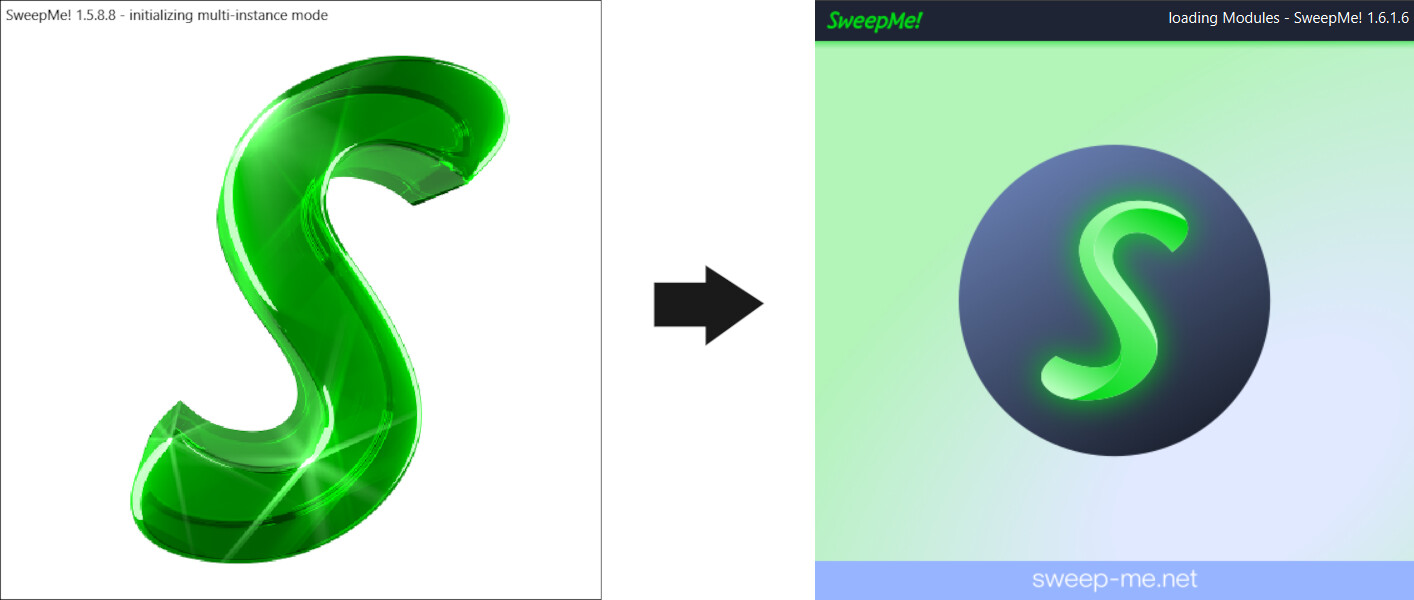
New design: SweepMe! now follows our new brand design with an updated logo, a new splash screen, refreshed icons, and a cleaner interface throughout.
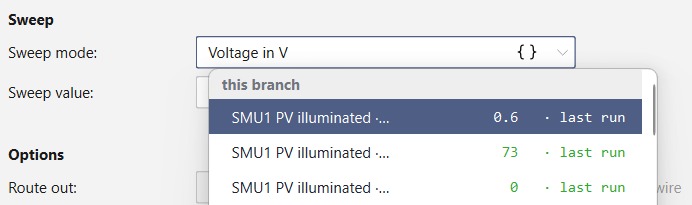
The new Parameter Picker in action.
Further Changes
-
Main window: The run, pause, and stop buttons have moved into the menu bar, which leaves more room for the sequencer and the modules. The module panels are now fixed in the main window, so they can no longer be dragged out by accident, while their tabs can still be reordered.
-
Desktop Autofill: Pressing F5 now arranges the main window and the Dashboard on the monitor you are currently working on, instead of always using the primary monitor.
-
CustomFunction Scripts: Four new pre-made scripts are included:
Evaluation_SolarCellextracts short-circuit current, open-circuit voltage, fill factor, and efficiency from the IV curve of a solar cell.Pulse_Buildercomposes voltage pulse sequences in tables and combines them into waveforms, with a plot preview and CSV import and export.Pulse_Builder_WGFMUadds measurement and current range events for the Keysight B1530A WGFMU.HTTP_requestsends measured data to a web server.
-
Load Drivers in CustomFunction: You can now load SweepMe! drivers from within a CustomFunction script. Use your own version of the driver or take the one from SweepMe’s VersionManager.
-
Wafer Map: A new wafer map widget visualizes measurements with the WaferProber Module. You can see the dies and their test results in real time, across one or more wafers.
-
pysweepme 1.6.1: The bundled open-source package pysweepme has been updated to 1.6.1 and supports Python 3.10 to 3.14, so your drivers behave the same in SweepMe! and in your own Python projects with this version from PyPI.
-
Browser protection: The HTTP, WebSocket, and MCP interfaces now reject requests from web pages of other websites, which protects your setup against cross-origin and DNS rebinding attacks through a browser on the same computer.
SweepMe! Pro and the Free Version
-
SweepMe! Pro Trial: When you start SweepMe! on a new computer without a Pro license, it now automatically requests a free SweepMe! Pro Trial, so you can explore SweepMe! Pro right away (a login with your SweepMe! account might be required). The remaining trial days are shown at startup, and once the trial has expired, SweepMe! offers to request an extension. Notices about Pro features also let you request a trial directly.
-
Pro examples: Examples that need SweepMe! Pro, e.g. because they use Pro Modules or several branches, are now collected in a separate folder named “Pro”.
Please note: In the free version, measurements now run with a maximum of one active branch in the sequencer, which covers a simple measurement. Multiple active branches are available with SweepMe! Pro. Sequences with several branches can still be loaded and edited, and you can run one branch at a time by unchecking the others.
Switching to SweepMe! 1.6 - Important considerations for SweepMe! 1.5.x users:
Please note: SweepMe! 1.6 partially breaks backwards compatibility. Your existing settings open in 1.6, but sequences saved with 1.6 cannot be opened with older versions. Modules as well as self-written drivers need to be ready for Python 3.14.
-
Settings and sequences: Settings created with SweepMe! 1.5.6, 1.5.7, or 1.5.8 can be loaded in 1.6. Sequences saved with 1.6 cannot be opened with any 1.5.x version. If you save in the legacy
.setformat, you can load the file in 1.5.x versions, but success is not guaranteed. For a smooth transition to the new file format, SweepMe! 1.6.1.6 will save files the new.seqformat and legacy.setformat simultaneously.
Attention: New sequences are saved in the newSequencesfolder. If you open an existing setting, however, SweepMe! saves it where it came from: Sequences → Save Sequence overwrites the.setfile and creates a.seqfile with the same measurement procedure next to it. As long as you still need a setting in SweepMe! 1.5, keep a copy of it, or use Save Sequence as… to save the sequence under a new name or in theSequencesfolder. -
Command line options: If you start SweepMe! from the command line (or a script), the option
--settingneeds to be replaced by--sequence. -
Modules: All modules have been rebuilt for Python 3.14. SweepMe! 1.6 therefore needs module versions made for 1.6.1, and older versions have to be updated in the Version Manager. The modules that come with SweepMe! are already up to date.
-
Self-written drivers and scripts: Self-written drivers and CustomFunction scripts now run with Python 3.14, PySide6, and the updated packages. Please test them before you use SweepMe! 1.6 for productive measurements. Drivers that come with compiled Python packages need a version of these packages for Python 3.14 in the subfolder
libraries\libs_314_64. -
Parallel installation: SweepMe! 1.6 is installed in parallel to your existing 1.5.x installation, so you can keep measuring with your productive version while you test the beta.
How to Install the Full Beta
- Start SweepMe!
- Select Help & Info → Upgrade and select the beta in the WebInstaller
- Follow the instructions on screen.
What We Would Like You to Test
While we tested the new version extensively to ensure a smooth upgrade, we kindly ask you to make sure everything actually works perfectly in the field:
- Load your existing settings, check that all modules and parameters are restored correctly, and save them with Save Sequence as…, so your original
.setfiles stay untouched.- If you’re curious, open a
.seqfile in a text editor, or let your AI tool create or modify a sequence for you.
- If you’re curious, open a
- Run your drivers and CustomFunction scripts, especially self-written or customized ones, to make sure the work with Python 3.14.
- Try the new Parameter Picker and the MCP interface with your AI client of choice.
- Tell us anything that looks, feels, or behaves differently than expected.
- Let us and the world know if you enjoy the new look and functionality.

Every report from your lab makes the final release more stable. Simply reply to this topic or contact us. You find the complete list of changes on our website at Changes in Version 1.6.1.
 Download the full beta today and let us know what you find.
We appreciate your feedback and look forward to hearing about your experiences with SweepMe! 1.6.