Hello Axel,
Thank you very much again for the new tips.
Installing the BETA version 1.6.1.2 has resolved the problem.
Here’s a slightly more detailed account of my attempts in response to your last post:
-
When you click “Find ports” in a module, do you see any debug message?
-
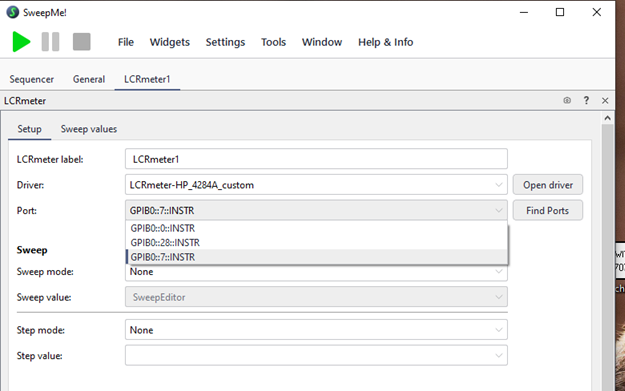
Before clicking “Find Ports”

After clicking “Find Ports”
-
No Debug message
-
-
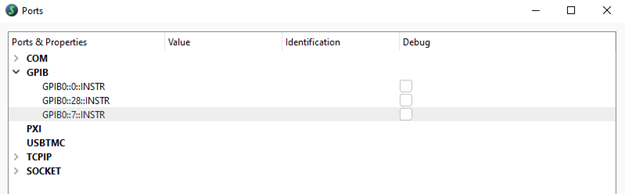
When go to “Tools” → “Port manager” → button “Find all ports”, do you see any debug message?
- Noting happens at clicking
- No debug message
-
We just have released a closed beta of SweepMe! 1.6 that comes with Python 3.14.
SweepMe! 1.6 Beta: The Test Phase Is Starting
Could you download this version from the account and test it? It also comes with a newer pyvisa version.-
LCR-Module was needed to reinstall
-
After doing this the test for LCR-Meter GPIB-Connection was working
-
Port manager now finds also all GPIB-ports
-
A test run without a sample could be performed
-
-
Can you unplug and reconnect the GPIB adapter?
- Not tested