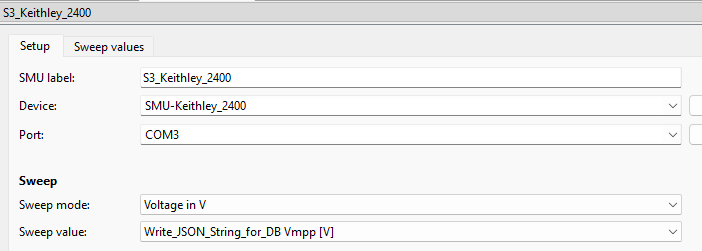
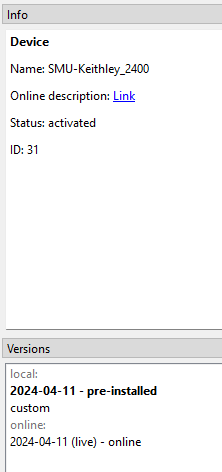
This is not the normal behaviour and it looks like this is happening because the “SweepEditor” is the only hardcoded option for this driver even though this should be handled by the SMU module in recent versions.
Franz should have a look at this but from what I can test without having access to the actual instrument, simply commenting out line 69 by addind a hashtag should do the job, like this:
#"SweepValue": ["SweepEditor"],
If you want to try it out for yourself, just use the version manager to create a custom version of the driver and open it using the respective button next to the instrument selection box in the Setup tab of the step in your sequence.
as @Christian already said this is not the intended behavior.
During some some first tests, I was not able to reproduce the problem with the Simulation Diode driver or a Keithley2xx/Keithley2400 driver after starting SweepMe! 1.5.7.
Can you report which version and which driver you are using?
We will also check whether we can allow mp4 format for direct upload in the forum.
Christian’s solution works like a charm!
As soon as comment-out line 69 in the driver, the Sweep Value selection is retained when I open the sweep-editor tab.
P.S.: You do not need the device to reproduce the bug. It happens when the SMU module is loaded into a sequencer and the SMU-Keithley_2400 driver is selected.
Thanks for your message. I can now also reproduce it with the Keithley 2400 driver.
The answer by @Christian seems to be the solution. It is not necessary to define the “SweepValue” key in the UI. We will check all drivers and report when updated versions are available and also have a look at SweepMe! whether loading values from key “SweepValue” of the driver should be supported at all.