The functionality “Parameter Box” makes it possible to add instrument-specific parameters to a SweepMe! driver. This works even if the instrument belongs to a SweepMe! module that does not provide the parameter by default.
We have now made this function available to two more SweepMe! modules, namely LCRmeter and LockIn.
This adds flexibility when writing a SweepMe! driver for an instrument that has more functions than standard instruments of the same module.
Here is an example from the new LockIn driver for the current measurement module of the Lake Shore M81 system. The parameter box adds functionality that is not standard for the LockIn module, like the ability to turn off the instrument’s LED to minimize stray light in optical setups.
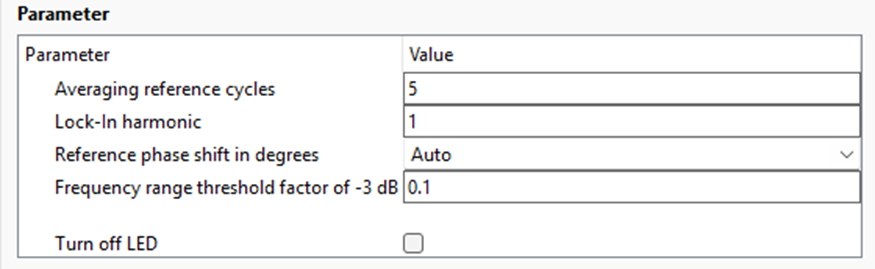
Usage: Add a GUI element in the update_gui_parameters() function of your driver that is not native to the SweepMe! module of the device. The element will automatically be moved to the Parameter Box.