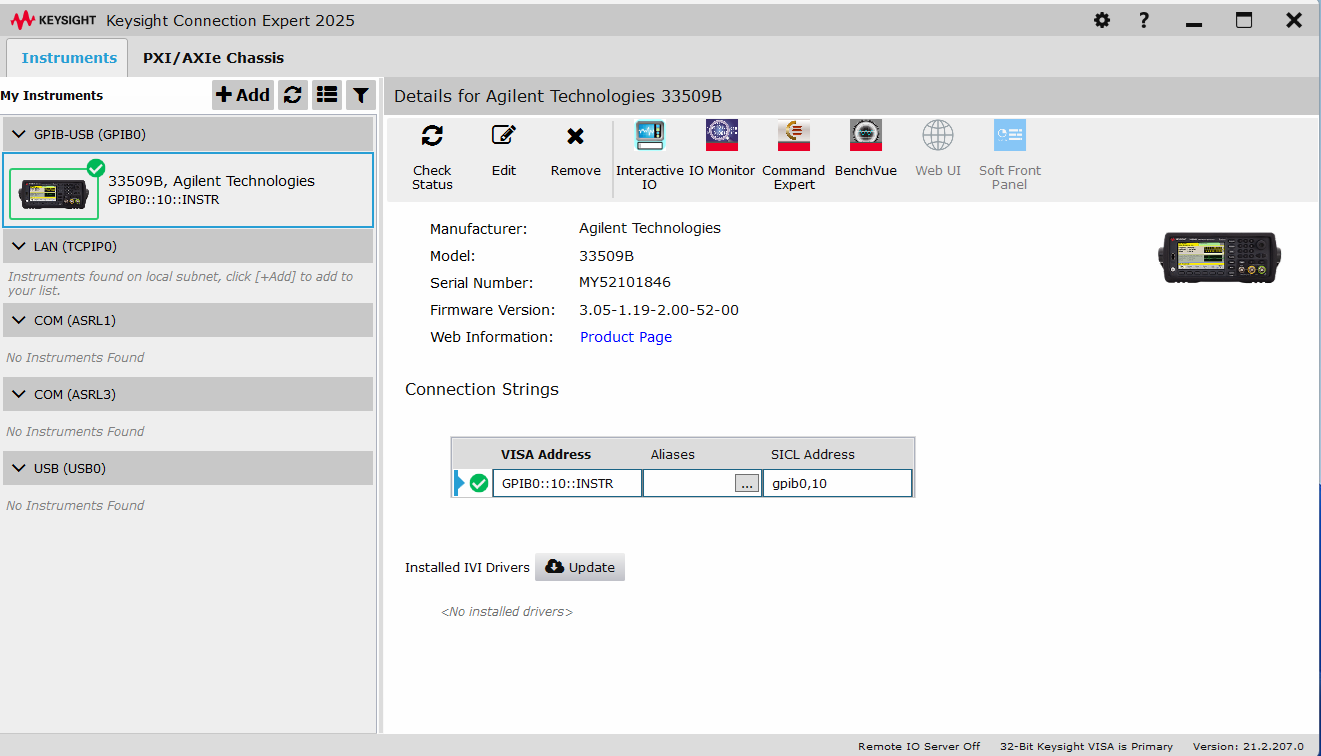
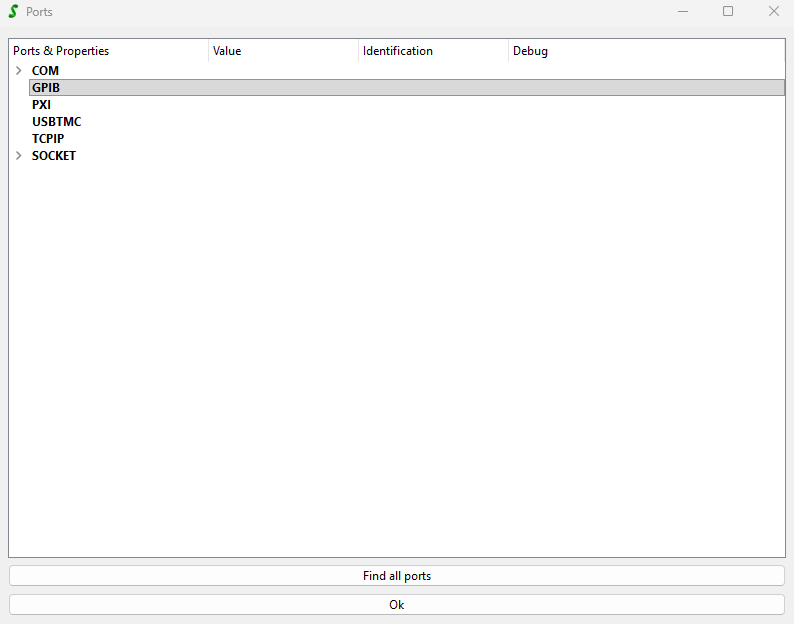
that’s a frequent problem so good to discuss it here in the forum.
SweepMe! uses VISA runtime via pyvisa to interface instruments via GPIB, USBTMC or TCPIP (RAW or VXI-11).
Manufacturers like National Instruments, Keysight, Tektronix/Keithley or Rohde&Schwarz have released their own implementation of the VISA standard.
When installing NI-VISA runtime or Keysight IO Libraries, their VISA library is installed and you can find in
C:\Windows\System32
the following files:
visa32.dll
visa64.dll
They are also (partially) found in C:\Windows\SysWOW64
pyvisa checks by default C:\Windows\System32 to find these files. As SweepMe! does not show any GPIB port in its port manager tool. It is safe to say, that pyvisa has not found a visa installation or the found visa installation cannot handle the connected USB GPIB adapter.
It could be that these files are missing or that you had already a previous VISA runtime installation that was not overwritten by Keysight Libraries IO.
Each VISA runtime implementation seems to have some specialization towards the USB-GPIB adapters of each brand. It means Keysight Libraries IO works best with Keysight USB-GPIB adapters and NI VISA works best with NI USB-GPIB adapters.
In case, SweepMe!/pyvisa loads the wrong visa64.dll, it could be that the adapter is not found while Keysight Connection Expert uses a custom path to its own VISA installation.
Troubleshooting:
Before installing Keysight Libraries IO, uninstall all previous VISA runtimes and libraries from other vendors.
You can redirect pyvisa to another VISA runtime installation path by using a .pyvisarc configuration file. You can find such a template file in the Downloads section of your SweepMe! webpage account. Then follow the instructions from https://pyvisa.readthedocs.io/en/stable/introduction/configuring.html#intro-configuring
The template includes also typical paths where visa dll files can be found
One can make a safety copy of the visa32.dll and visa64.cll in C:\Windows\System32 folder and afterwards replace it with a copy from another installation path or remove these file from the folder and reinstall Keysight Libraries IO.
Hope this helps to proceed and let us know whether you have been able to resolve it.
it is working now, although I couldnt figure out what exactly solved it.
So first of all it was a fresh Win11 installation, so no other VISA runtimes/libraries were installed before that. Then I tried to repair/re-install Keysight IO, but that didnt work, also not with with removing the visa32/visa64.dll from the folders you mentioned (they could be found in there after every fresh install). Then I completely removed all the Keysight and related software again.
I then installed NET Framework 3.5, because I needed it for another software, and also because on the download page of IOLS it mentioned a missing NET Framework 3.5 might be related to some known issued.
Afterwards I tried an older version of Keysight IO. The initial one - which didnt work - was the latest “2025 Update 1” version (build 21.1.109), but now I used the 2024 version (build 18.4.30319.0) and this works.
But since I installed both the NET Framework 3.5 and the older IOLS version, I cant tell you which one was responsible for solving it.
I will try it again on another PC in the upcoming week (I will use the older IOLS version and see if that works directly).
For now I am just happy that it is working for us. Thanks again for the help!
thanks for sharing your journey! I am sure it will help other users as well. We had similar issues at another setup recently.
I also share the experience that things sometimes just work without knowing the exact step to reproduce it. Sometimes, just restarting the computer can help.
I recently encountered the same problem with a different Keysight device (Agilent/Keysight B1500). The device was visible in the newest version of Keysight Connection Expert, but not in SweepMe!. Interestingly, it worked when the device was connected to a different PC where Keysight 2023 Update 1 (18.3.29517.2) was installed. I solved the problem by explicitly installing the older version of Keysight IO libraries.
Maybe there ist a bug with the newest Keysight IO libraries. I will contact the Keysight support and let you know when they respond.
yes I can confirm that again. I tried it on another PC just right now, and again the newest 2025 version wasn’t working, but using the older version 18.4.30319 works.