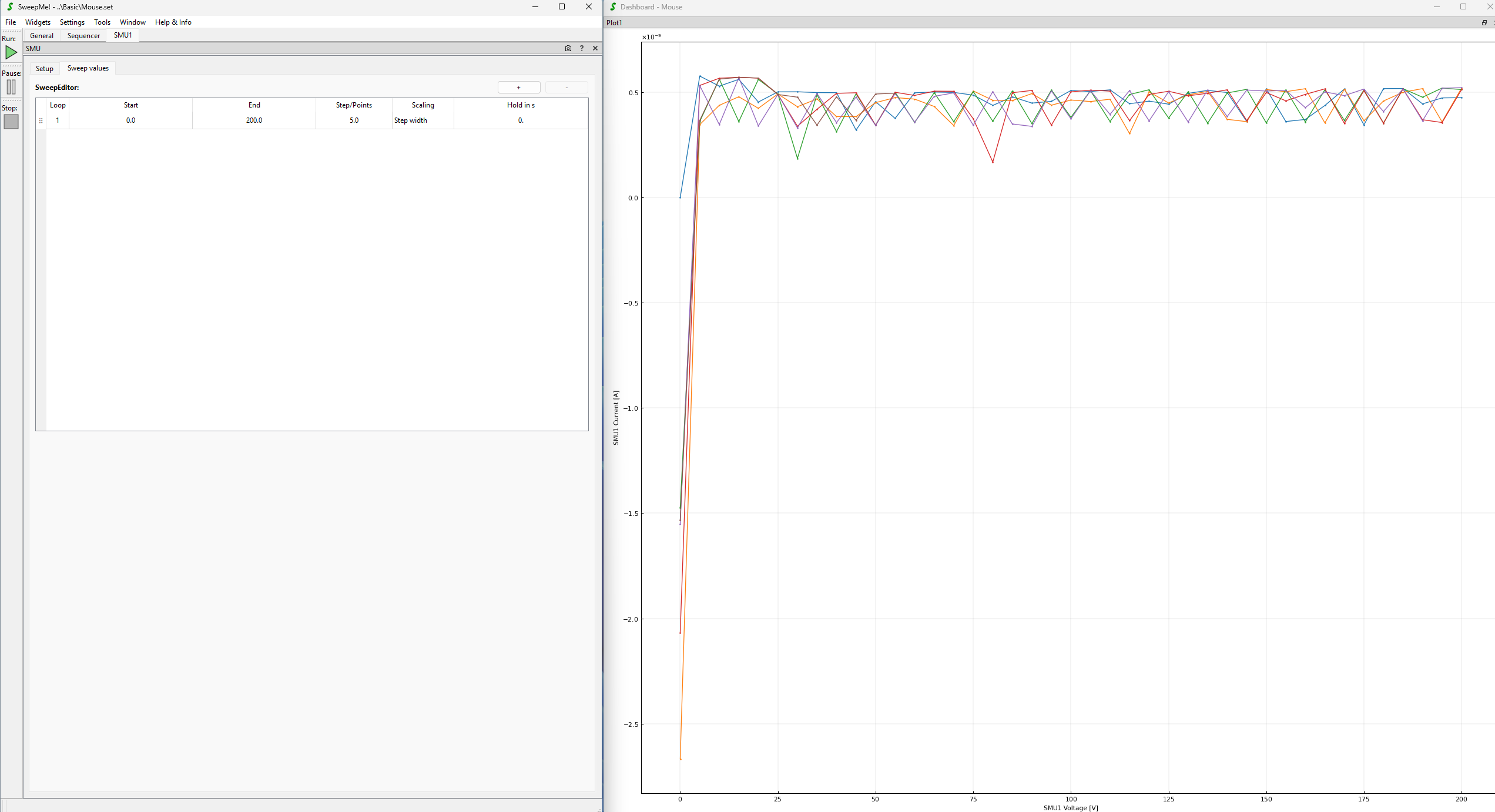
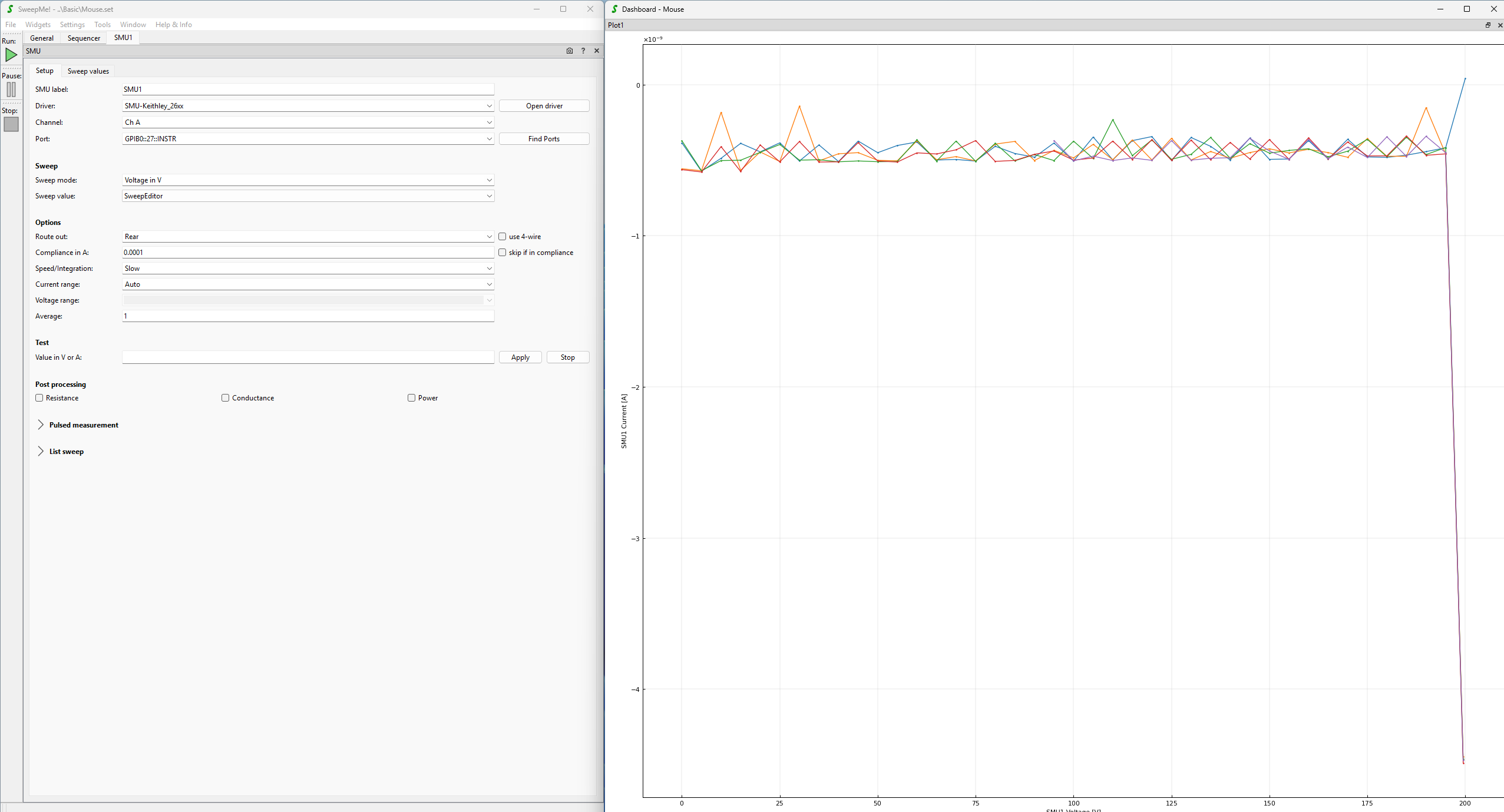
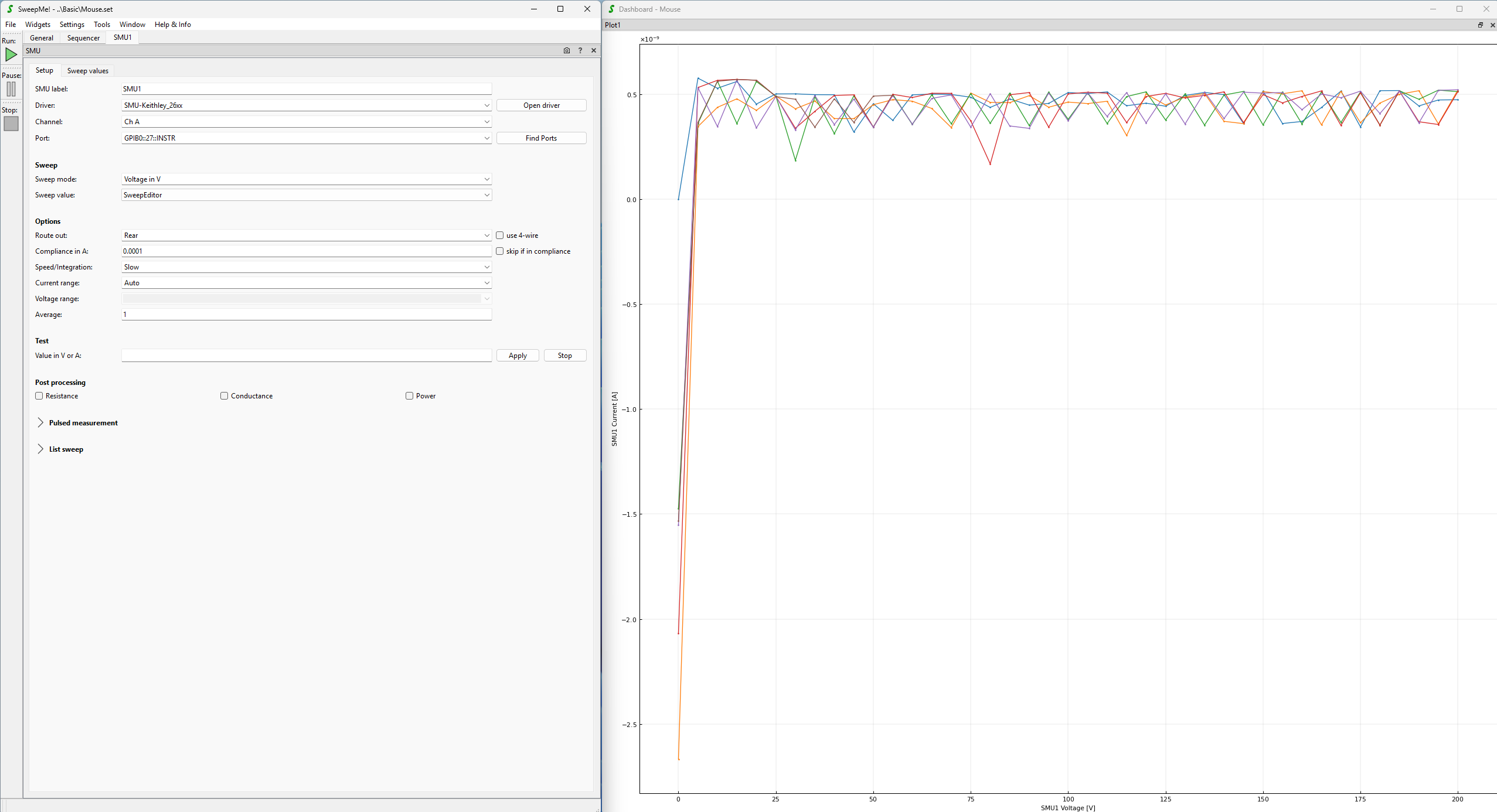
two of my colleagues recently encountered some weird measurement artifact/error. The first measurement point often times shows a very high offset, as can be seen in the following pictures The sweep direction from 0V→200V or 200V→0V doesnt matter, and we have seen this on our Keithley 2612 SMUs as well as on our older Keithley 236/237/238 SMUs (we will test this on our Keysight B1500 as well, once its back), so its seems hardware-independent?!
I have seen such characteristics myself during my research activities. In my opinion, this is related to charges on the devices that accumulate when the device is disconnected. For example, each semiconductor junction can also act like an ineffficient photodiode that splits charge from incident room light. At the same time there could be also an electrostatic charge up at that depends on air humidity, but also clothes and shoes of the people working in the lab. When weather is more dry, charges cannot neutralize that easily.
In general a Hold time should help here as it applies a waiting time between applying the new set value and performing the measurement. You alreay mentioned that Hold or Delay did not help, but can you test again, whether the height of the first point is reduced with taking longer Hold times? You can also add a new line in the Sweep editor to bias the device at 0V in the beginning. Use drag&drop of line in the Sweep editor to move it to the first place/row.
Delay cannot help here as it adds a waiting time after measuring to delay the further measurement until a certain time has passed.
Also try measuring once in darkness, to see whether the effect is reduced.
Further, you can try to find a two-terminal device and a measurement instrument that show the characteristic artifact at the beginning. What happens if you flip the cables. Does the sign of current reverse. This would point to some physical effect on the device. The fact that multiple instruments show the same effect also supports this.
From the software point of view, I don’t see any reason why SweepMe! should introduce any artifact at the beginning. Here, you can basically dive into drivers and check all commands sent to the instruments and see which data is returned. SweepMe! orchestrates the flow of driver function calls, but does not add anything to the communication with instrument as being defined in the drivers.
If you figure out that you need a discharge of your device in the beginning, you can add a first line to the sweep editor to apply 0 V for some hold time. However, this way you always have this first point in your measurement files which is scientifically sound as it describes the measurement procedure, but could be annoying when comparing different devices.
More elegant would be to use the new dynamic sweepvalues features as introduced with SweepMe! 1.5.8
As outlined in this answer
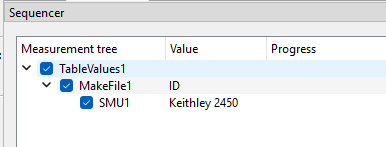
one can create different sweeps with using TableValues. A first sweep coulde be used for discharging and a second one to define the real measurement. This way you can place the MakeFile module between TableValues and your SMU module which will create an independent file for each step.
Maybe I should have mentioned that this happens without any cables or device connected. I will keep trying and will let you know if I find any further indications of this problems. I will also check with our Keysight B1500 PMUs once the analyzer is back.
See you at the DPG industry exhibition in the coming days, I will definitely come by and say hello
if there is no device or cable connected, then I would guess it is related to electrostatic charging.
Here, you could also test whether, the curves look the same if you measure immediately again. After a measurement, there should be less charges at the connectors. So, the effect should be reduced at the following measurement.
It might also help to check how the measurement instrument is grounded and maybe it makes sense to ground the people with an grounded arm band or using a grounded mat to reduce charge up. Also shoes have an effect on whether people in the lab can discharge.
I’ve seen this behaviour before in semiconductors. It is usually the capacitance of the DUT that maintains a certain amount of charge from previous probing or operation. By forcing 0V in the first step, the resulting discharge current is visible as the negative current flow. The current flow that you observed is in the range of nanoamperes so there doesn’t need to much much capacitance involved to cause these backcurrents.
Did you record the 200V-to-0V sweep after the 0V-to-200V? If so, try two sweeps from 200V-to-0V in consequitive order and see if the artifact reappears in the second sweep.
Also, if you have the chance to modify your setup, see if you get rid of this artifact if the pin is discharged over a high value resistor (like 10MOhm) prior to the sweep.
While ESD can certainly be a cause for this, the setup would need to be reviewed from an ESD protection point of view to analyse the potential for such a discharge onto the DUT.